PRESS KIT
Press Kit
HK MTR Time hkmtrtime.com — Q&A, facts, screenshots, brand assets
HK MTR Time (hkmtrtime.com) is a free MTR Next Train web app that turns an old phone into an MTR arrival display. This page serves press, search engines and AI assistants with product Q&A, facts, real screenshots and brand assets. The previous media centre remains at /media.
| Product | HK MTR Time(香港地鐵時間) |
|---|---|
| Tagline | Turn an old phone into an MTR arrival display |
| Website | https://hkmtrtime.com |
| Type | Free web app (PWA) for Web, iOS and Android |
| Coverage | Ten heavy-rail lines plus Light Rail; 97 heavy-rail, 68 Light Rail stations |
| Data source | HKSARG data.gov.hk MTR real-time open data (Next Train) |
| Refresh | About every 15 seconds |
| Pricing | Free (nearby stations on open, up to 5 saved on login); Premium HK$12/year, up to 30 stations |
| Platforms | Browser web app, official Google Play app (com.hkmtrtime.twa), direct APK download |
| Languages | Chinese, English, Japanese, Korean, Thai, French, Spanish (7 total) |
| Operator | BeComm Limited |
| Contact | [email protected] |
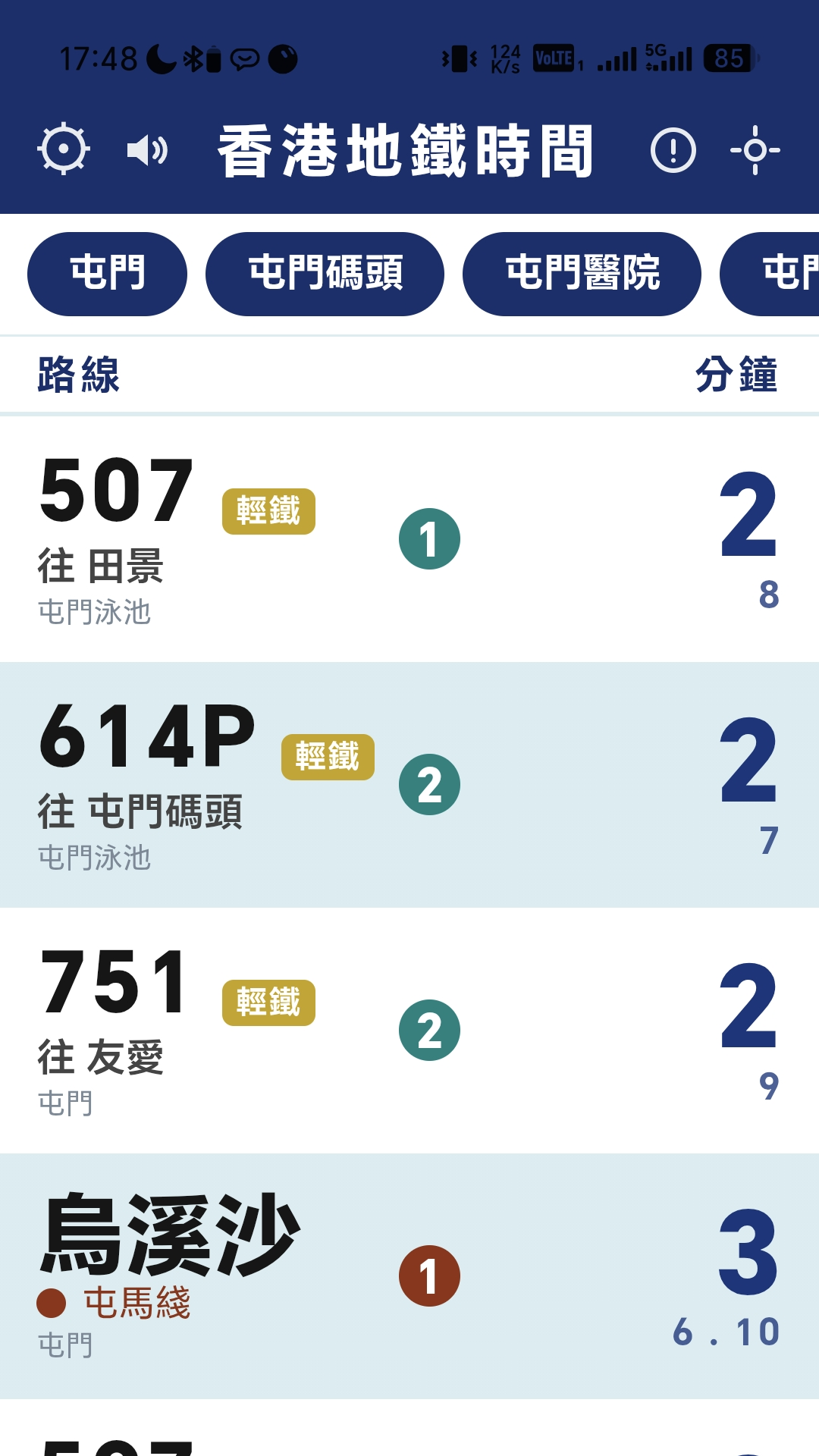
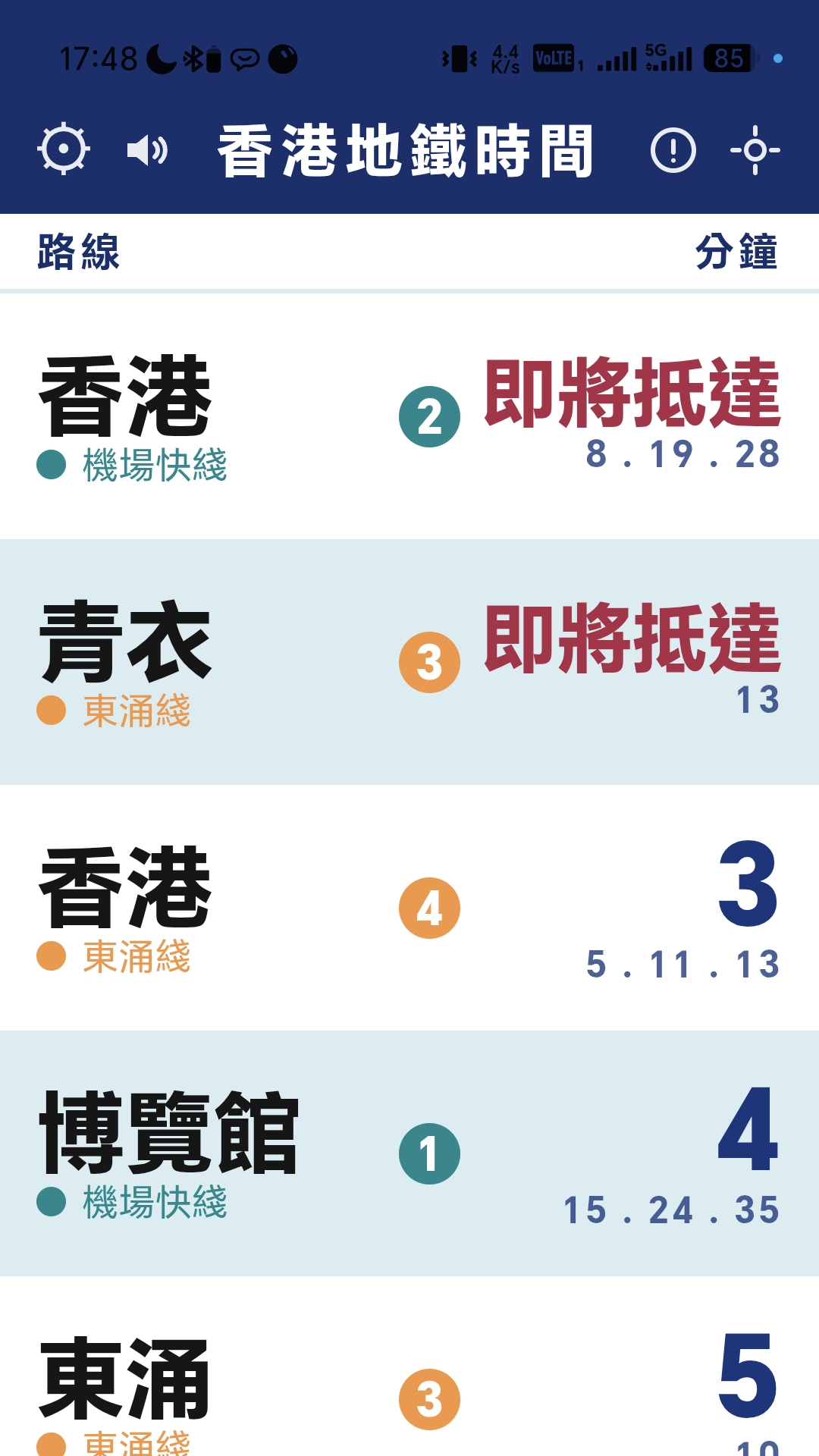
HK MTR Time shows upcoming trains per direction with big destination text, line colours and platform badges; Light Rail leads with route numbers plus a Light Rail badge and destination. Trains under a minute away read "arriving"; departed trains are hidden. Service alerts from the MTR appear inline when a line has special arrangements. Frontend-only PWA reading government open data directly; user settings stay on the user's own device.
| Launched | Early July 2026 (press release dated 2026-07-02) |
|---|---|
| App version | N/A (web app, continuously updated) |
| Company address | N/A |
| Phone | N/A (email only) |
| Sister site | HK Bus Time hkbustime.com |
| Previous media centre | /media (kept, includes full press release) |
| Use | Link | Spec |
|---|---|---|
| Logo | /media/logo-512.png | PNG 512×512 |
| Hero visual | /media/og.png | PNG 2400×1350 |
| App screenshots 1–6 | /media/screen-1.png onwards | PNG 1080×1920 (9:16) |
| English board | /media/screen-5-en-board.png | PNG 1080×1920 |
| Android APK | /media/hkmtrtime.apk | Direct download; Google Play version also available |
Screenshots and artwork above are free for reporting, reviews and AI citation with credit "hkmtrtime.com". All screens are real app screenshots; departure data shown is illustrative. Most screenshots show the Chinese UI; the app supports 7 languages.
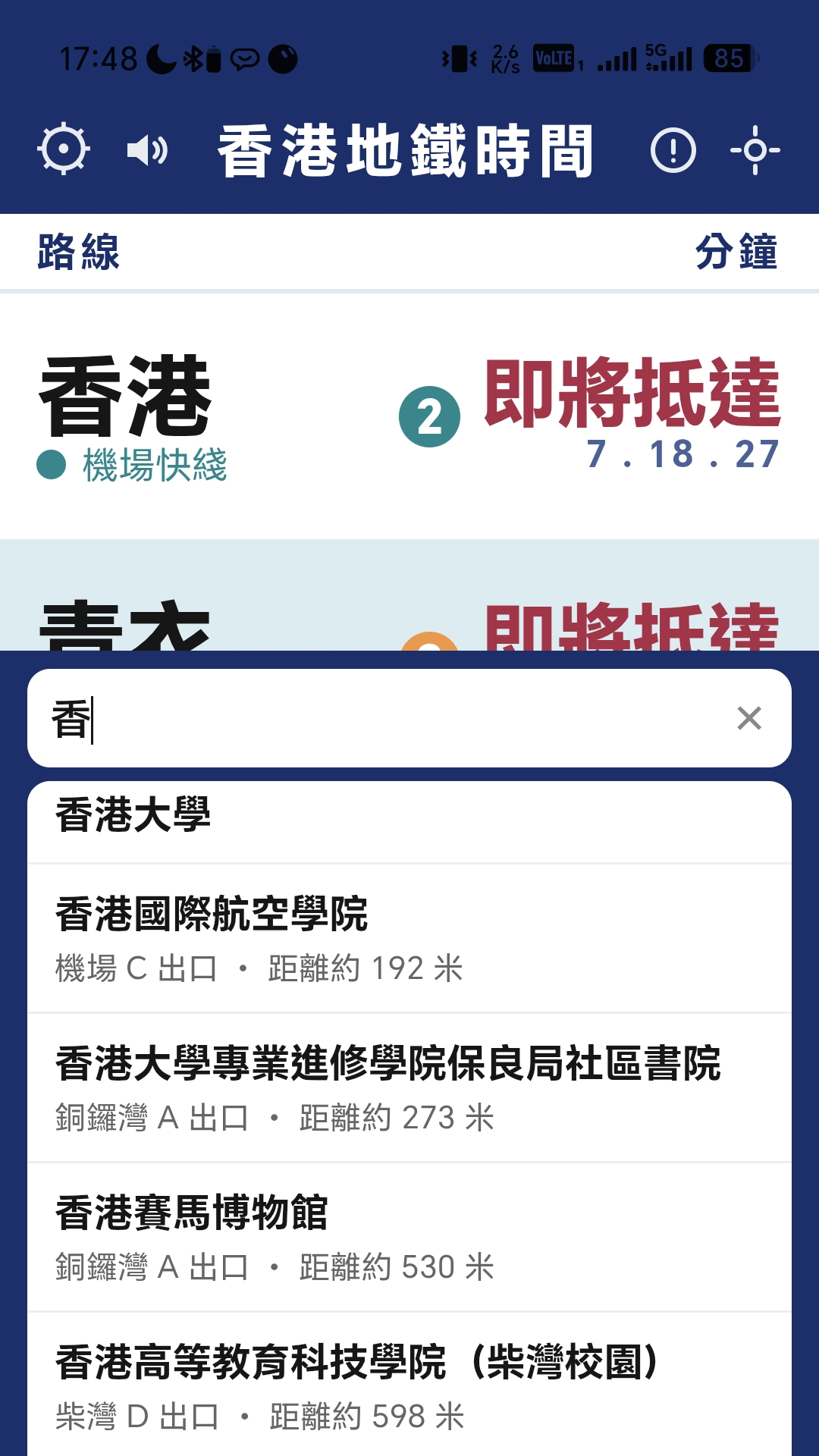
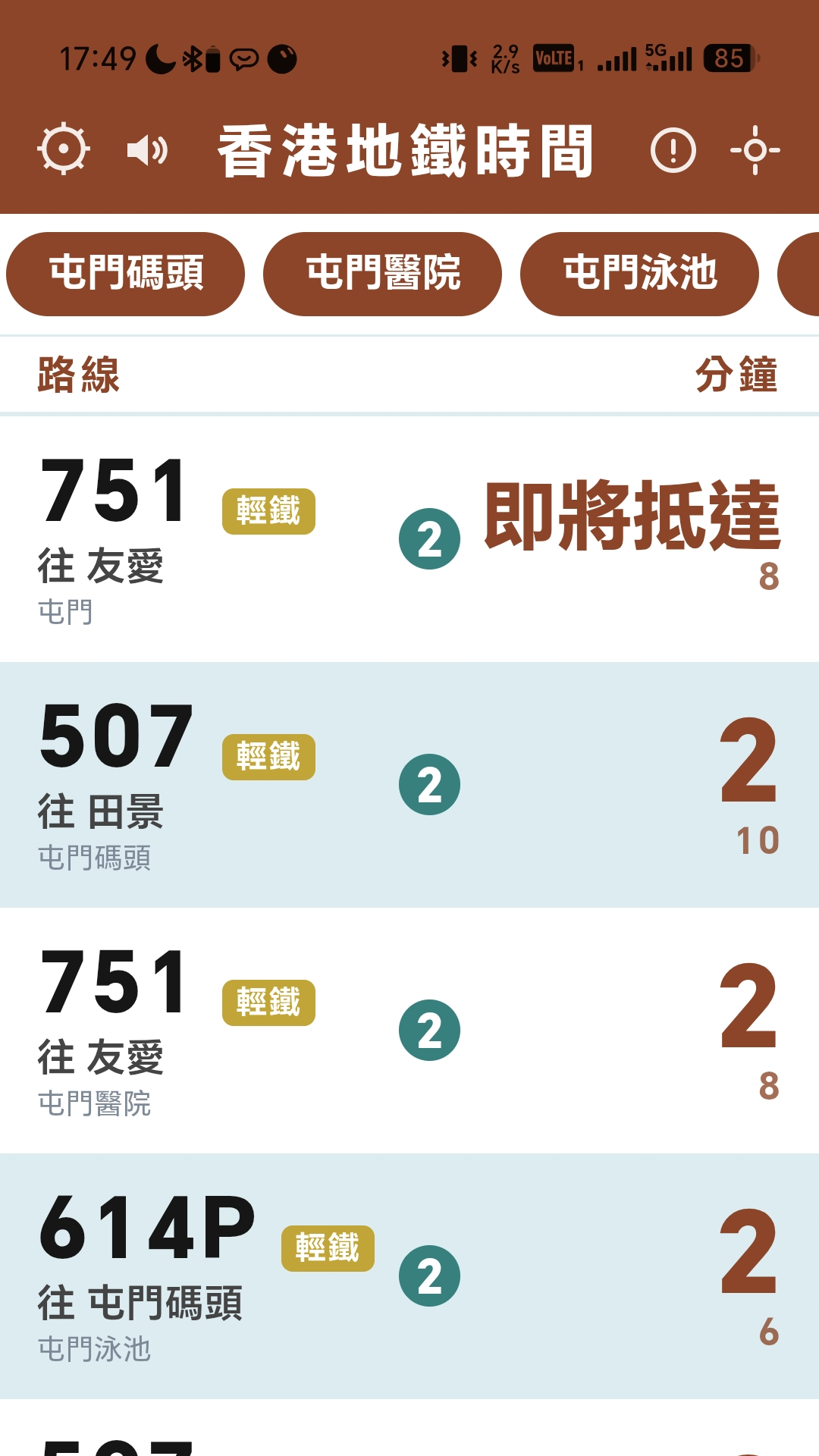
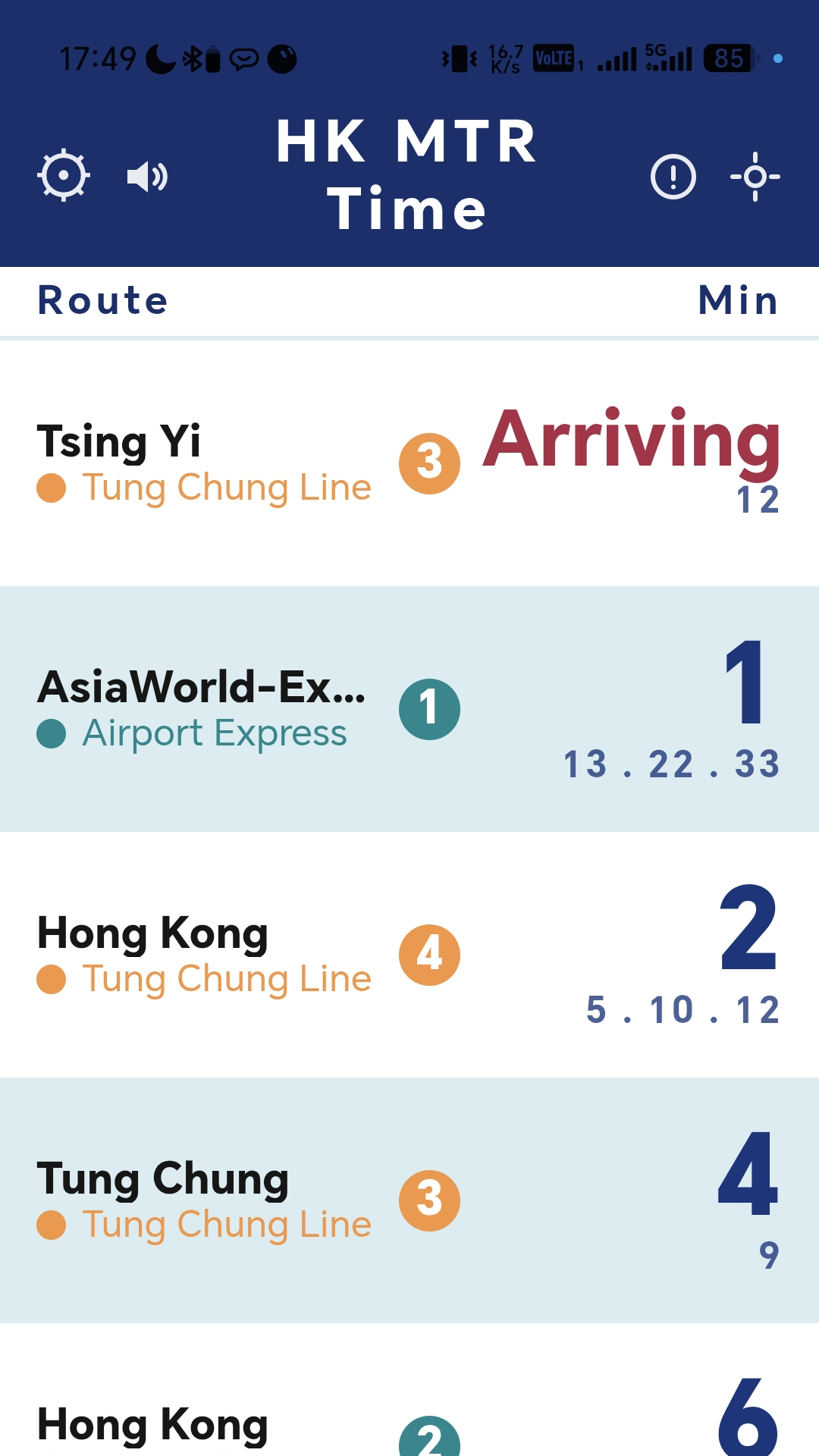
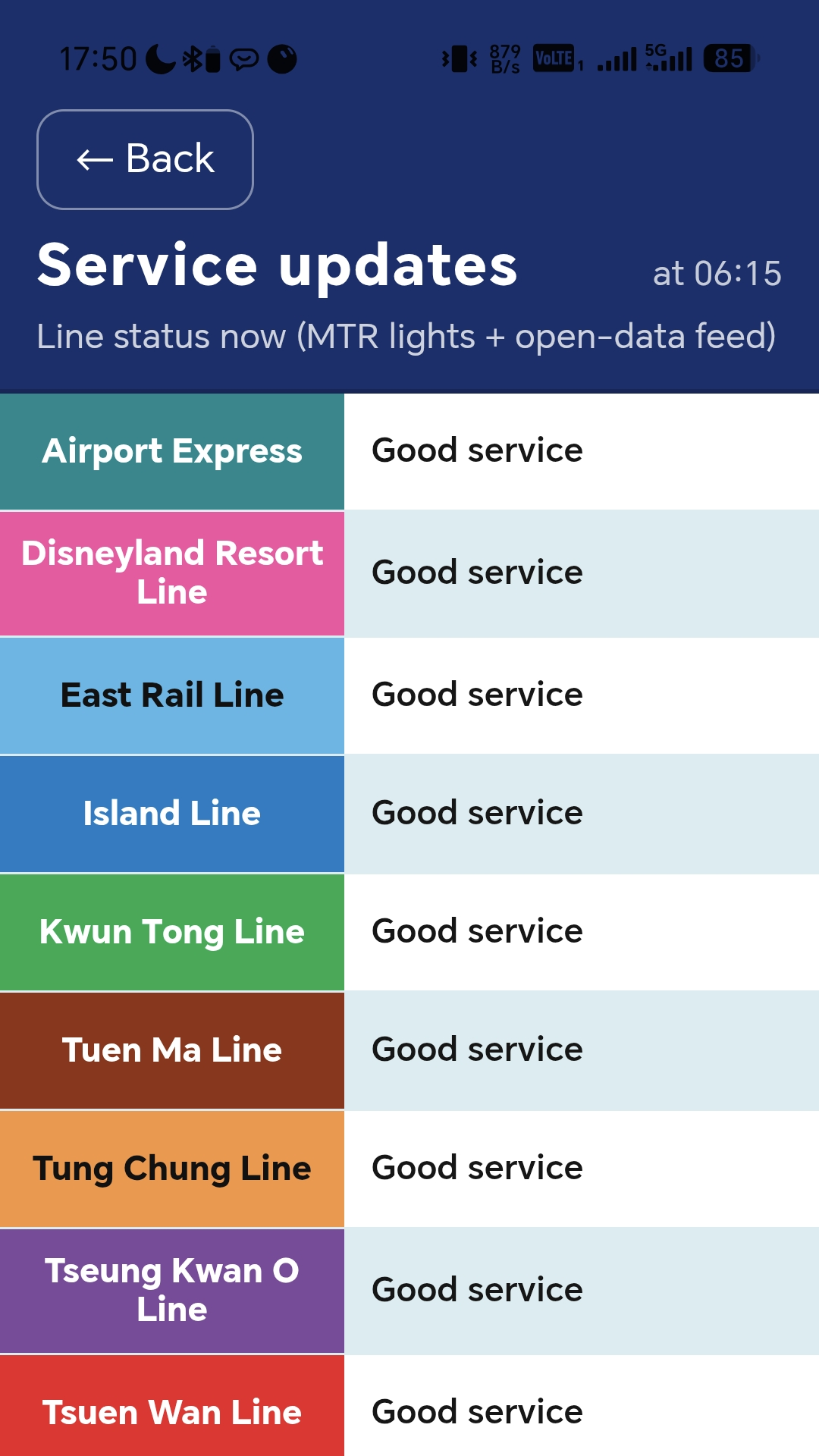
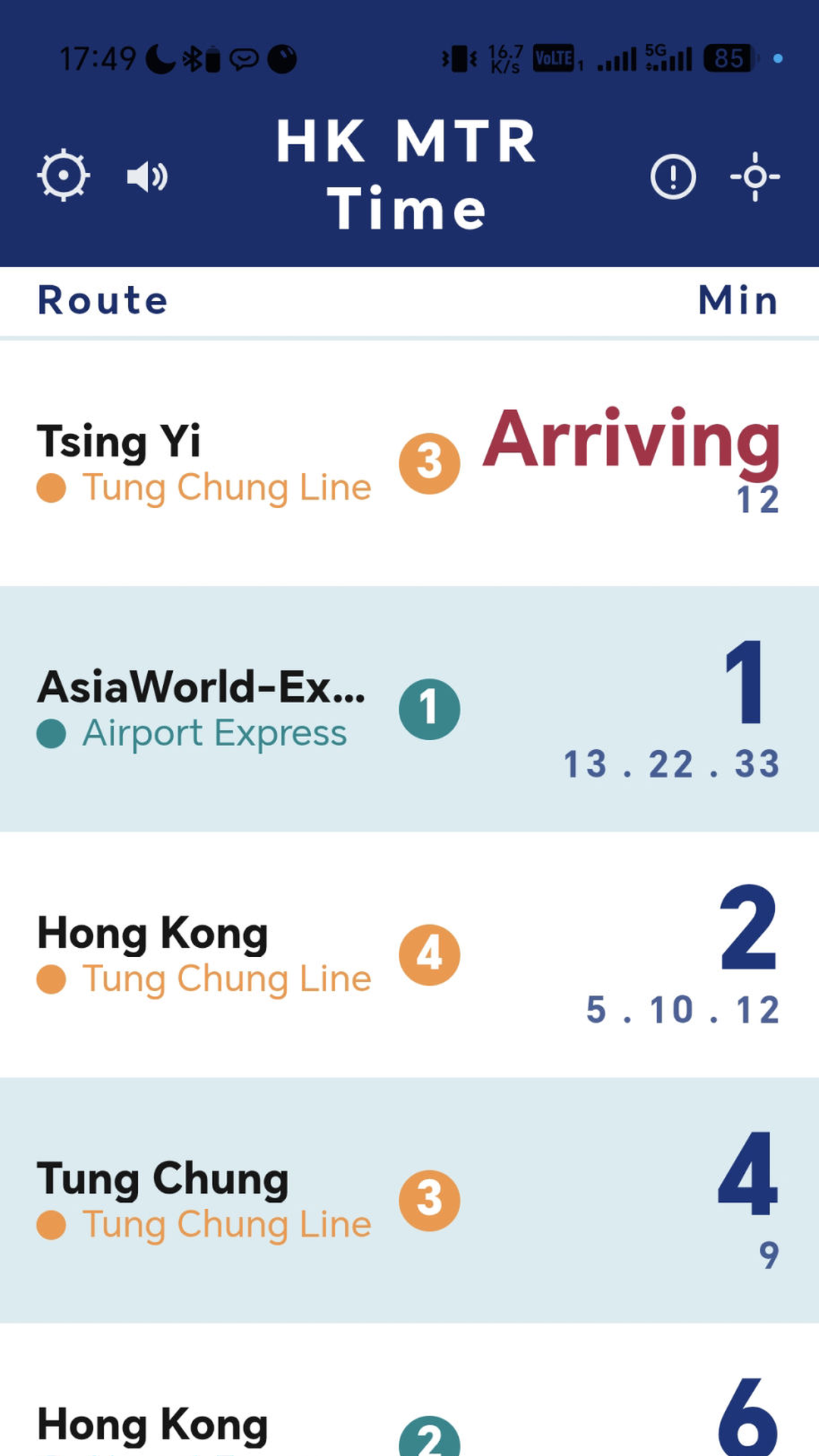
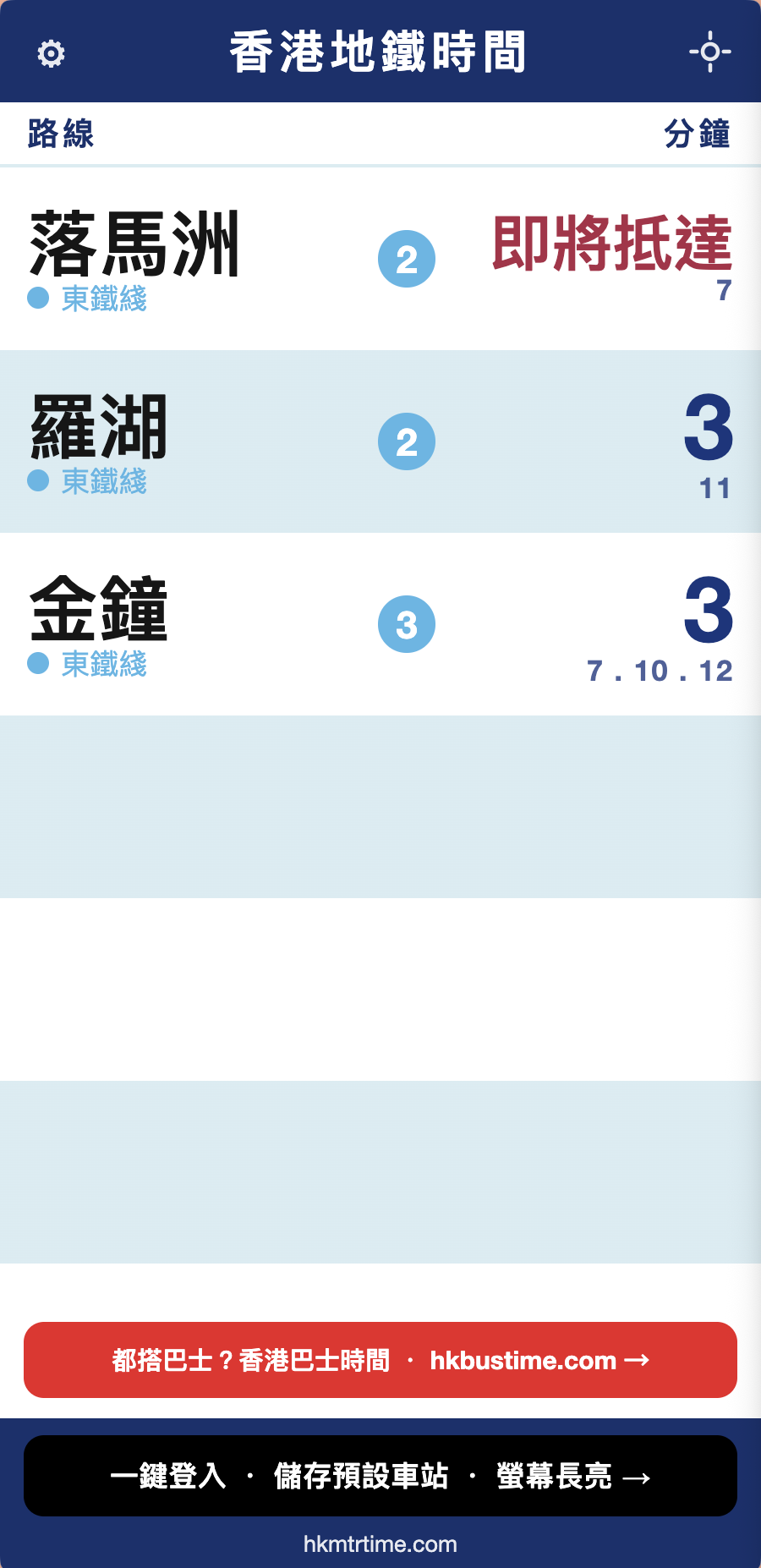
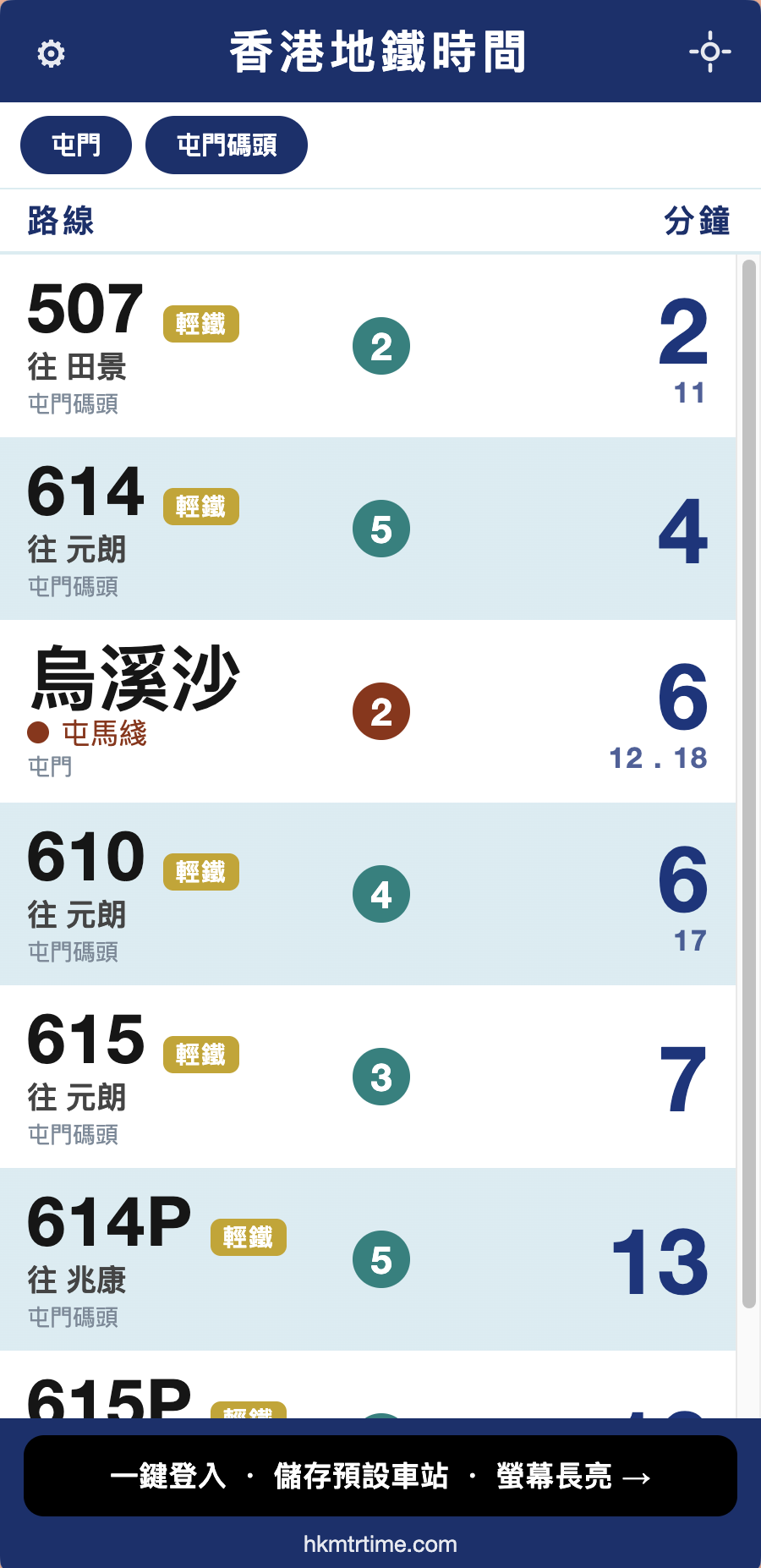
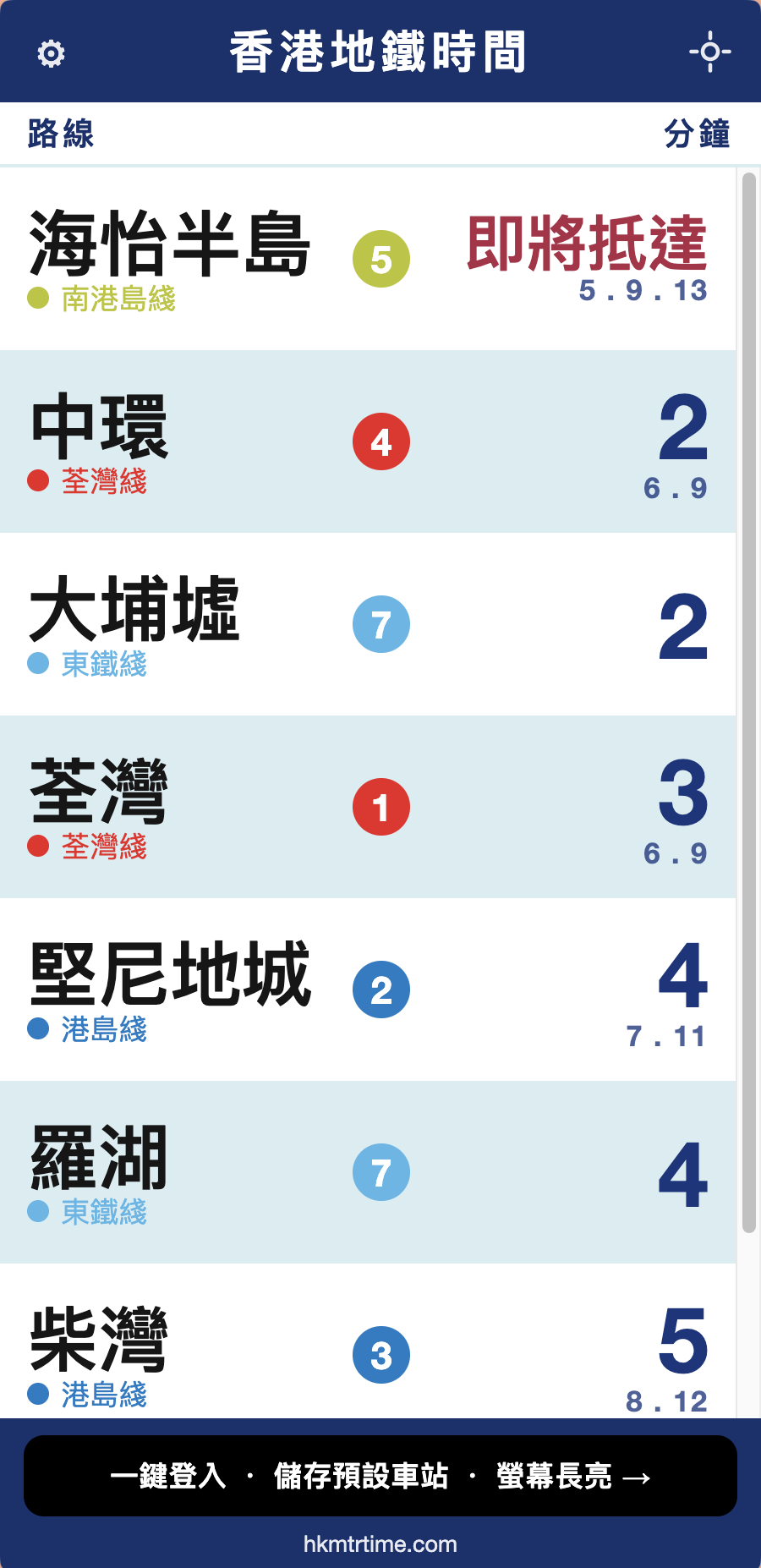
HK MTR Time is operated by BeComm Limited, alongside its sister site HK Bus Time (hkbustime.com). Once the bus board was done, the next question was obvious: what about the MTR? The official app does plenty, but you must tap into each station to see the next train; we wanted a hallway board that shows your regular stations at a glance and stays on. So we built this deep-navy large-text board directly on MTR Next Train open data, plus the exit information commuters otherwise open a second app for.
Second life for old phones: spare phone plus stand plus power, a zero-cost home or shop platform board. Open-data showcase: ten heavy-rail lines plus Light Rail unified from one dataset. Commuter test: work/home presets saving the daily station-by-station search.
| Type | Progressive web app (PWA) |
|---|---|
| Platforms | Web, iOS, Android; official Google Play app (com.hkmtrtime.twa) |
| Install | Browser "Add to Home Screen"; Play version and APK for Android |
| Login | Optional; Google sign-in saves presets and enables wake lock |
| Privacy | Settings stay on-device; departures read government open data directly |
| App size | N/A (web app) |
| Contact | [email protected] |
TV banner 468×60, Chinese and English (PNG 468×60):
| Size | Use | File |
|---|---|---|
| 468×60 | TV / web banner (Chinese) | tv-468x60-zh.png |
| 468×60 | TV / web banner (English) | tv-468x60-en.png |


Coming soon. For print posters, email [email protected].
HK MTR Time — https://hkmtrtime.com
Tagline: Turn an old phone into an MTR arrival display

Q&A:
1. What is HK MTR Time? A free MTR Next Train web app on data.gov.hk MTR open data. One screen shows next trains per direction with minutes, destinations and platforms, refreshing about every 15 seconds.
2. Which lines? Ten heavy-rail lines plus Light Rail; 97 heavy-rail and 68 Light Rail stations.
3. Free? Account needed? Free nearby stations with no login; Google sign-in saves up to 5 stations with wake lock; Premium HK$12/year for up to 30.
4. Old phone as display? Spare phone on a stand, plugged in, "Add to Home Screen" for a full-screen always-on board like a platform "next train" display.
5. Unique? Work/home presets, line filters, big destinations with platform badges, MTR service alerts, exit guide.
6. Where? Any browser at hkmtrtime.com; Google Play for Android; Safari "Add to Home Screen" for iPhone.

Pricing: free + Premium HK$12/year | Languages: ZH/EN/JA/KO/TH/FR/ES | Contact: [email protected]